Illinois City Laser Engrave File: A Creative Tool for Diverse Industries
Understanding the Illinois City Laser Engrave File Collection
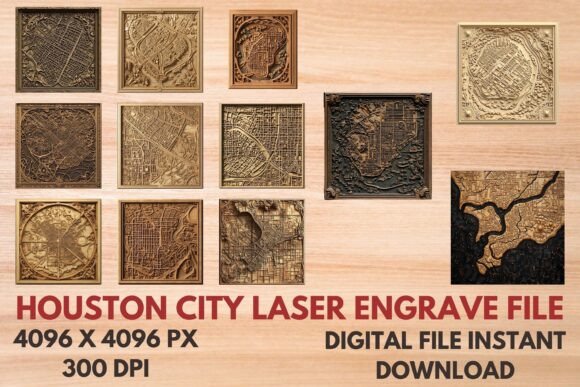
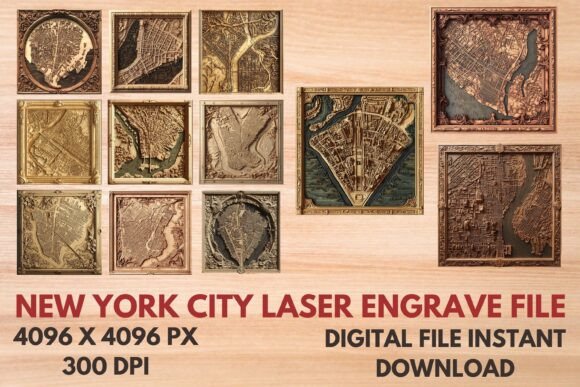
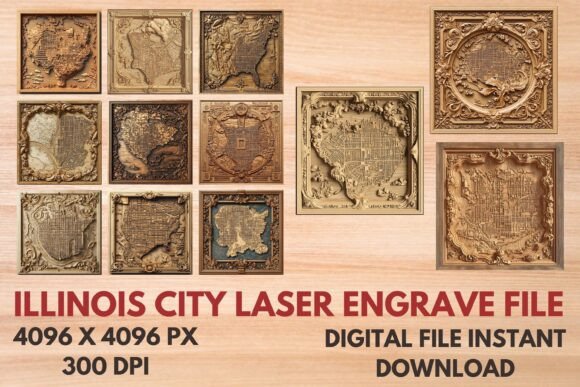
The Illinois City Laser Engrave File is a digital design resource that offers creators and professionals an extensive range of high-quality laser engraving templates. These files are crafted to support various industries, from home decor and stationery to textiles and tableware. The collection includes both color and black-and-white versions in PNG and SVG formats, all with a transparent background and optimized for print-ready use. Each file is sized at 4096x4096 pixels and set at 300dpi, ensuring crisp detail and precision when applied to different materials.
Design Characteristics and File Formats
One of the standout features of this product is its versatility in file types. The inclusion of PNG and SVG files allows for compatibility across a wide array of laser cutting and engraving machines. The PNG files provide raster-based images suitable for direct printing or engraving on surfaces like wood, leather, or glass. Meanwhile, the SVG files offer vector paths, which are ideal for scaling without loss of quality, making them perfect for custom-sized projects.
Each package contains 12 distinct designs in two variations—coloring and black-and-white. This variety ensures users can match their creative vision to the right style, whether they're aiming for bold, vibrant visuals or minimalist, elegant engravings. The transparent background feature adds another layer of flexibility, enabling seamless integration into different project layouts or materials without unwanted borders or shadows.
Home Decor and Woodworking
Laser engraving has become a staple in modern home decor, offering unique ways to personalize furniture, picture frames, and wooden signs. With the Illinois City Laser Engrave File, artisans and hobbyists can easily add intricate city motifs or artistic representations of Illinois landmarks to their creations. For example, a coffee table could be transformed with a detailed engraving of the Chicago skyline or a stylized map of Springfield, instantly elevating its aesthetic value and making it a conversation piece.
Stationery and Textile Design
In the world of stationery, these files can be used to create engraved invitations, greeting cards, or personalized notebooks. The high-resolution PNGs ensure that even the smallest details remain visible when printed, allowing for professional-grade results. Similarly, textile designers can incorporate these patterns into fabric prints for clothing or home furnishings. Whether it's a subtle logo or a full-scale illustration of an Illinois cityscape, the designs can be adapted to suit everything from fashion-forward apparel to cozy throw pillows.
Tableware and Packaging Innovations
For those in the food and beverage industry, the Illinois City Laser Engrave File provides an opportunity to elevate branding through custom-engraved tableware. Plates, mugs, and serving trays can be enhanced with city-themed art, making them not only functional but also memorable. In packaging, these designs can be applied to boxes, gift tags, or labels, adding a touch of local charm or sophistication depending on the brand’s identity.
Time Efficiency and Consistency
Using pre-designed laser engrave files like those in the Illinois City collection saves significant time during the production process. Instead of starting from scratch, users can quickly select and apply a template that aligns with their project goals. This efficiency is especially valuable in commercial settings where consistency across multiple items is essential. The uniformity of the provided designs helps maintain a cohesive look across products, reinforcing brand identity or thematic presentation.
High-Quality Output for Professional Results
The 4096x4096 resolution and 300dpi standard ensure that every engraving is sharp and visually appealing. This level of detail is crucial for achieving professional-grade finishes, particularly when working with fine materials such as acrylic, metal, or thin wood. The transparent background also simplifies alignment and placement, reducing errors during the engraving setup phase.
Creative Freedom Through Resizing
Although the files are not editable, they are designed to be resized for different applications. This adaptability gives users control over how the artwork appears on their chosen medium. Whether enlarging a design for a large canvas or shrinking it for a keychain, the scalable nature of SVG files maintains clarity and proportion. However, it's important to note that resizing should be done carefully to avoid distortion or loss of visual impact.
Digital-Only Delivery
When purchasing the Illinois City Laser Engrave File, buyers should understand that they will receive a digital zip file immediately after checkout. No physical items are included, so the buyer must have access to appropriate printing or engraving equipment. This model supports a wide audience by allowing instant access to the files, eliminating shipping delays and costs.
Resizing Responsibility
As mentioned earlier, the buyer is responsible for resizing the design to fit their specific project needs. While SVG files are inherently scalable, improper resizing can lead to misalignment or pixelation if using PNGs. It's recommended that users familiarize themselves with basic image manipulation techniques or software tools like Adobe Illustrator, Inkscape, or CorelDRAW to adjust the files effectively before engraving.
Material Compatibility
Though the files are versatile, their effectiveness can vary depending on the material being engraved. Users should test the design on a small sample before applying it to a finished product. Factors such as surface texture, reflectivity, and engraving depth may influence how the final output looks. For instance, a design that works beautifully on wood might require adjustments for optimal visibility on ceramic or metal surfaces.
Professionals in Manufacturing and Retail
Business owners involved in manufacturing, retail, or e-commerce can leverage these files to streamline product customization. From branded merchandise to location-specific gifts, the Illinois City Laser Engrave File offers a ready-to-use solution that can be integrated into existing workflows. This makes it easier to produce consistent, high-quality items at scale, supporting marketing efforts and customer satisfaction alike.
Educators and Students
These files are also excellent educational resources for teaching design principles, laser technology, and material science. Educators can use them to demonstrate how digital art translates into physical objects, while students can experiment with different engraving techniques and applications. The Illinois City theme adds cultural relevance, making the learning experience more engaging and context-rich.
Hobbyists and DIY Enthusiasts
For hobbyists and makers, these files open up a world of possibilities. Whether creating custom jewelry, personalized gifts, or decorative wall art, the Illinois City Laser Engrave File provides inspiration and practical assets. The availability of both coloring and black-and-white options allows for experimentation with shading and contrast, helping hobbyists refine their skills and expand their creative repertoire.
Step-by-Step Workflow for Beginners
- Select the Right File: Choose between PNG or SVG based on your engraving machine and material type.
- Resize Appropriately: Use design software to scale the file to fit your product dimensions without losing clarity.
- Align and Position: Ensure the design is correctly centered and oriented on the item you're engraving.
- Test on a Sample Material: Perform a trial run to check for any potential issues with sizing or appearance.
- Engrave and Finish: Apply the design and complete any finishing touches, such as painting or polishing.
Real-World Examples of Usage
- Custom Wedding Invitations: A stationery designer uses the coloring PNG files to create engraved wedding invites featuring a romantic Illinois city backdrop.
- Personalized Coffee Mugs: A small business owner incorporates the black-and-white SVG files into a line of mugs celebrating Illinois cities for tourists and residents alike.
- Wooden Wall Art: An independent artist sells framed laser-engraved panels showcasing the beauty of Illinois cities in both color and monochrome styles.
- Fashionable Tote Bags: A textile company integrates the SVG designs into fabric patterns for trendy reusable bags with a local flair.
- Gift Packaging: A boutique uses the PNG files to create custom-printed gift boxes with subtle city motifs for holiday collections.
Layering and Combining Elements
While the Illinois City Laser Engrave File comes as standalone designs, they can be layered or combined with other elements for more complex outputs. For example, a designer might overlay a city outline onto a patterned background to create a unique textile print. This approach allows for greater customization while still benefiting from the structured base provided by the original files.
Testing and Iteration
Before mass-producing items, it's wise to conduct several tests. Try different materials and engraving depths to see how the design performs. If using color PNGs, consider how lighting affects the vibrancy of the print. These tests help identify the best application method for each design and prevent costly mistakes in production.
Staying Organized
With 12 designs available in each format, organizing the files is essential. Create a naming convention or folder structure that reflects the intended use of each design (e.g., "Springfield_ColorPNG_Mug" or "Chicago_BlackSVG_WallArt"). This practice improves workflow efficiency and reduces confusion when selecting the right file for a specific project.
Current Trends and Future Possibilities
In today’s market, personalization and regional pride are driving trends in product design. The Illinois City Laser Engrave File taps into these movements by providing customizable, culturally relevant content. As more consumers seek out locally inspired goods, businesses and creators who utilize these files can position themselves as part of the trend, offering products that resonate with community values and aesthetics.
Looking ahead, the rise of smart manufacturing and automated engraving systems presents new opportunities. These files can be integrated into digital fabrication pipelines, allowing for rapid prototyping and on-demand production. Additionally, as sustainability becomes a growing concern, using digital files reduces waste associated with traditional design methods, aligning with eco-conscious practices.
Conclusion
The Illinois City Laser Engrave File is a valuable asset for anyone interested in laser engraving, from seasoned professionals to curious beginners. Its combination of high-resolution imagery, transparent backgrounds, and scalable formats makes it adaptable to numerous applications. By understanding the nuances of file usage, material compatibility, and workflow optimization, users can unlock the full potential of these designs. As the demand for customized and meaningful products continues to grow, leveraging such digital resources becomes increasingly strategic and impactful.